
 By IKadverts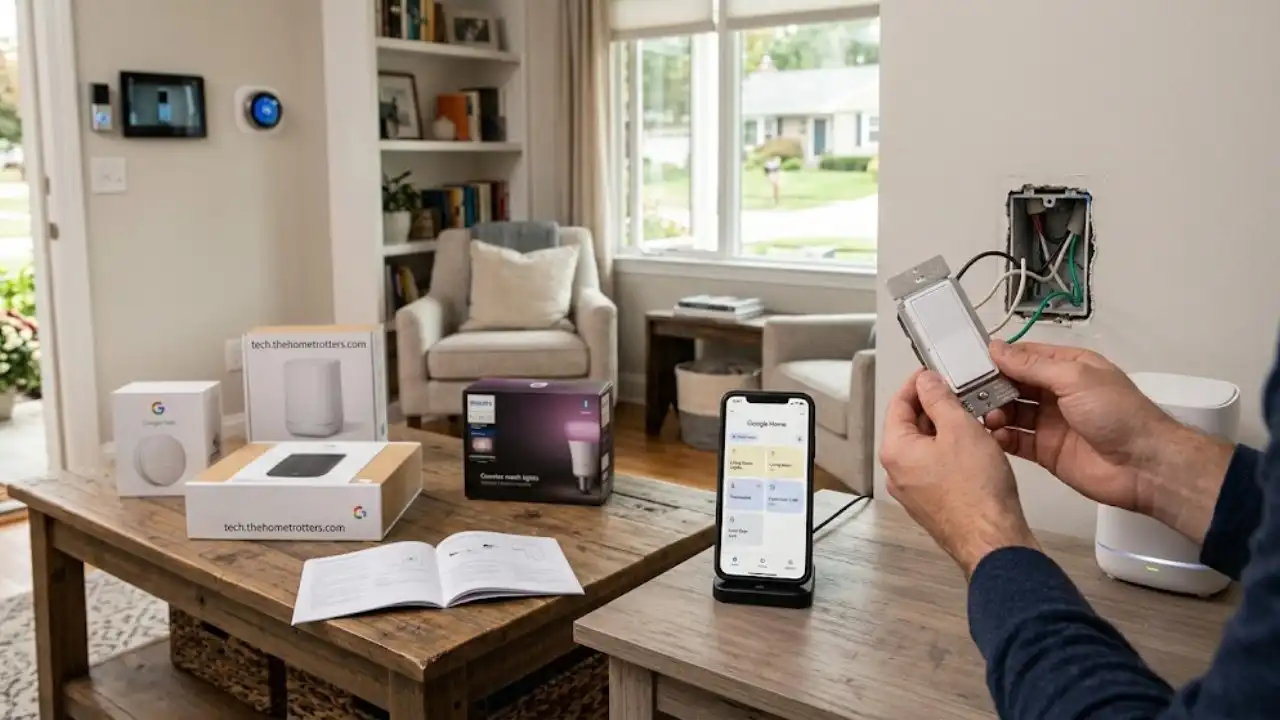
Smart home devices were supposed to make life simpler, but for many homeowners, they have created a fragmented network of apps, unexpected maintenance, and continuous troubleshooting. From light bulbs losing connection after a power blip to smart locks draining batteries in weeks, setting up a connected house requires more than just buying popular gadgets off a shelf.
Platforms like tech thehometrotters .com focus on breaking through this noise. Instead of pushing high-end gear that requires advanced technical expertise to configure, the site concentrates on practical home automation. The focus is on identifying which tech upgrades deliver actual convenience and which ones merely add unnecessary clutter.
This guide breaks down how to select, deploy, and maintain home technology that genuinely improves your daily routine, drawing on the practical frameworks championed across tech thehometrotters .com.
The Core Strategy: Solving Daily Friction Points
The primary mistake most people make when automating their living space is buying hardware before identifying a problem. A smart home should eliminate repetitive physical tasks or provide peace of mind when you are away from home.
To get started, follow a straightforward progression. First, identify your main daily friction points. Next, choose the proper communication protocol and power source for your devices. After that, deploy your central hub or gateway device, and finally, configure your local routines and automations.
High Impact Areas for Home Tech Integration
Entryways benefit greatly from smart keypad locks and video doorbells. They provide keyless access for family members and service providers. A common pitfall here is relying on low quality wireless locks that drain their batteries rapidly.
Climate control is best handled through programmable smart thermostats. They allow scheduled temperature shifts to reduce utility bills. Always check your electrical setup for a Common Wire, also known as a C-Wire, before purchasing a new unit.
Lighting systems work best with in-wall smart switches using Z-Wave or Zigbee connections. They offer central control over entire light runs. Using smart bulbs on switches that family members turn off manually is a frequent mistake that disables smart functions.
Network infrastructure requires tri-band mesh wireless systems. This setup provides whole-home coverage without dead zones. Be sure to avoid placing mesh nodes too far apart or behind heavy plaster walls.
Building a Solid Foundation: Network and Power
Before mounting cameras or replacing wall switches, your network needs to support the added load. A typical household running smart televisions, laptops, phones, and thirty small smart sensors will stall a standard router provided by an Internet service provider.
1. Mesh Wireless vs. Dedicated Hubs
Standard wireless devices communicate directly with your main router. When you add dozens of small sensors, your router’s wireless spectrum becomes congested.
Wi-Fi devices are best suited for high-bandwidth gear like security cameras and smart displays.
Zigbee and Z-Wave devices are better for low-bandwidth components like door sensors, motion detectors, and light switches. These use a separate hub and form a dedicated mesh network among themselves, keeping your primary Wi-Fi clear.
Matter and Thread represent newer standards aimed at cross-brand compatibility. Thread devices create an energy-efficient mesh network without relying on vendor-specific bridges.
Following the setup guidelines highlighted on tech thehometrotters .com, allocating smart devices to a dedicated 2.4 GHz network segment or a guest virtual network prevents connected gadgets from slowing down your primary work and streaming devices.
2. Power Considerations and Electrical Wiring
Smart switches require constant power to keep their radio receivers active. Older homes built before the mid-1980s often lack a neutral wire, which is typically white, in the switch box.
If you open your switch panel and see only two wires plus a bare ground, you have two options:
Option 1: Purchase specialized switches designed for setups without a neutral wire, which often require a dedicated bridge and specific bulb wattages.
Option 2: Use smart micro-relays installed directly at the light fixture canopy where neutral wires are always present.
3 Low-Maintenance Automations That Actually Work
Complex multi-condition automations often break when a third-party server updates or a cloud connection hiccups. The most reliable setups rely on simple trigger and action rules processing locally whenever possible.
Automation 1: Temperature Setbacks Based on Presence
Instead of setting rigid time schedules that fail when your routine changes, link your smart thermostat to geofencing via your smartphone or simple motion triggers.
Trigger: The last household member’s phone leaves a 3-mile radius around the property.
Action: Set the thermostat back 4 degrees in winter or up 4 degrees in summer.
Result: Consistent energy savings on heating and cooling without returning to an uncomfortable home.
Automation 2: Auto-Off Exhaust Fans and Closets
Humidity left in bathrooms creates mold, while lights left on in utility closets waste energy.
Trigger: The bathroom smart switch is turned on manually or a humidity sensor exceeds 70 percent.
Action: Run the fan for exactly 20 minutes, then turn off automatically.
Result: Eliminates the need to remember to turn fans off hours later.
Automation 3: Nighttime Perimeter Check
Rather than walking through the house to check locks and doors before bed, use a single bedtime automation.
Trigger: Saying a night command to your voice assistant or clicking a dedicated button on your nightstand.
Action: Confirm smart lock bolts are locked, lower the garage door if open, and turn off all main level lighting while keeping hallway nightlights at 10 percent brightness.
Avoiding the Fragmented App Trap
One of the central themes explored on tech thehometrotters .com is preventing app overload. Having twelve different apps to control twelve different brands of light bulbs and plugs creates frustration for everyone in the household.
To maintain a user-friendly house:
First, standardize on one main ecosystem. Choose one primary interface, whether that is Apple Home, Google Home, Amazon Alexa, or an open platform like Home Assistant. Ensure every new hardware purchase natively supports that platform.
Second, prioritize physical controls. Never replace a physical wall switch with a setup that requires opening a smartphone app just to turn on an overhead light. Guests, children, and visitors should be able to operate your home without downloading software or asking for passwords.
Third, keep cloud dependencies minimal. Whenever choosing hardware, verify whether the device operates locally or relies 100 percent on cloud servers. If a company goes out of business or updates its system, cloud-only hardware can instantly turn into useless hardware.
Upgrading Your Home Strategy
Integrating technology into your living space does not require major overhaul projects or excessive spending. By focusing on your home’s underlying network stability, choosing neutral-wire compatible controls, and building straightforward automations that target real daily routines, you can build a system that works reliably day in and day out.
As resource platforms like tech thehometrotters .com regularly point out, the best smart home technology is invisible. It operates quietly in the background without requiring constant adjustments, reboots, or manual intervention. Focus first on reliable hardware, keep your setups simple, and expand your system only when a clear need arises.